NT$ 9,900
Home » Modular Synthesizer » Sampler » 4ms Sampler (Sampler) 模組化合成器
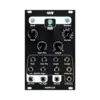
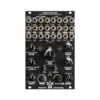
4MS - Sampler
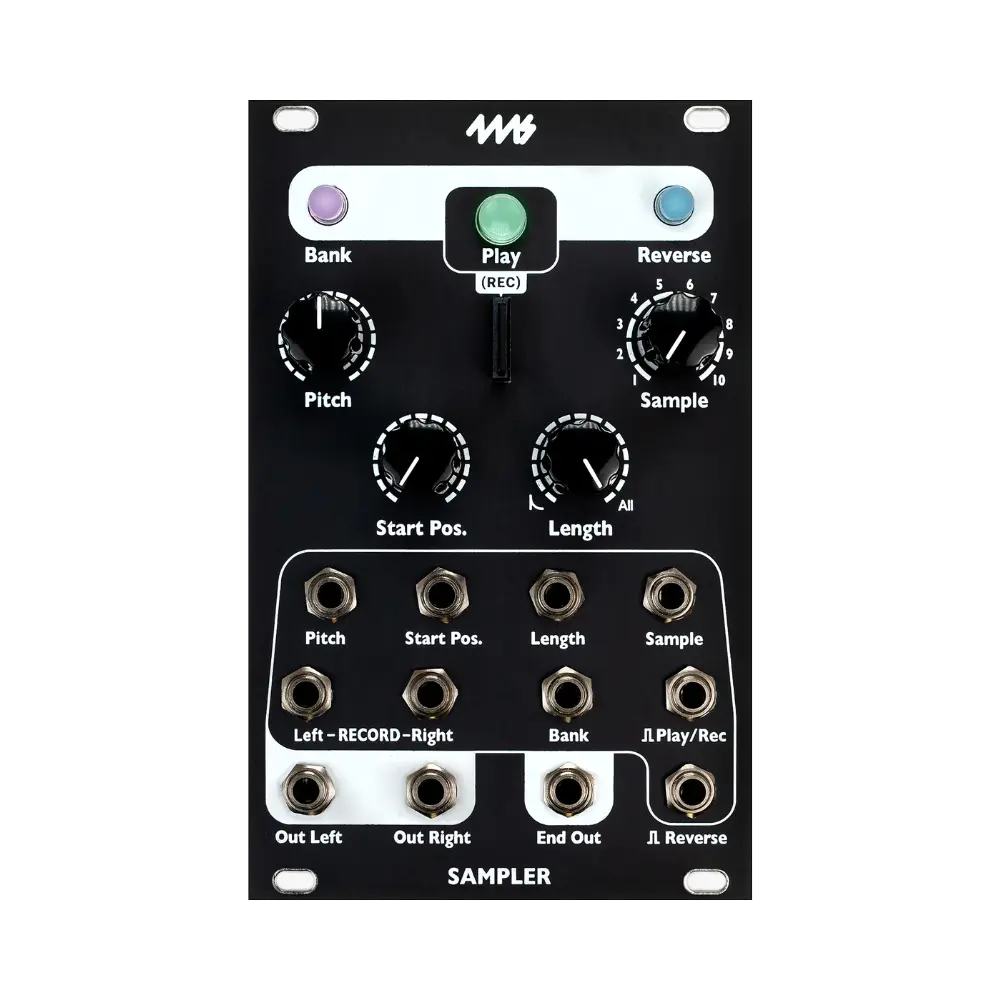
4ms Sampler 是一款 Eurorack 規格的 Sampler 模組化合成器,從 SD 卡中播放立體聲或單聲道的 .wav 文件,並具備對音高(包括 1V/oct 接口)、開始位置和播放長度的控制。旋鈕和 CV 接口可選擇要播放的樣本,並通過開始位置旋鈕和 CV 接口控制播放開始的點。播放長度旋鈕和 CV 接口決定播放樣本的長度:可以是微小的粒子、打擊樂段,長迴圈,甚至是整個文件。
按下播放按鈕或將觸發訊號輸入到播放觸發接口,即可播放樣本。長按播放按鈕一秒鐘即可切換循環播放模式。還有一個反轉按鈕和接口,用於倒放樣本,並提供一個結束輸出接口,用於同步迴圈或與其他事件串聯播放樣本。
如果樣本文件包含 cues(標籤或標記),開始位置和播放長度旋鈕將會自動對準這些 cue 點。*
要錄製樣本,按住播放和反轉按鈕兩秒鐘。再次按下播放按鈕或將觸發訊號輸入播放/錄製觸發接口即可開始和停止錄製。每次錄製都會在當前銀行的資料夾中創建一個新的立體聲 48kHz 24bit .wav 文件。錄製時間取決於您的卡片容量:256GB 卡可支持 18 天(432.9 小時)的連續錄製。音訊數據會被分割為最大 4GB 的 .wav 文件存儲在 microSD 卡中。
樣本通過將 .wav 文件放入資料夾中排列成銀行(每個資料夾就是一個銀行)。一個銀行最多可加載 10 個樣本。最多支持 60 個銀行(最多 600 個樣本)。
單個樣本文件最大限制為 4GB,這相當於 44kHz/16bit/立體聲格式下超過 6 小時的錄製時間。
產品特色
- microSD 卡 中包含數百個樣本
- 設計極度安靜,低噪音和低抖動
- 支持立體聲或單聲道輸出
- 播放按鈕/觸發接口:點擊按鈕或接收觸發訊號即可開始/重新播放樣本
- 樣本 CV/旋鈕:選擇要播放的通道銀行中的樣本
- 音高 CV 和音高旋鈕:控制播放音高(-10 至 +4 個八度範圍)
- 開始位置 CV/旋鈕:控制樣本播放開始的位置(迴圈開始點)
- 播放長度 CV/旋鈕:控制播放時間(迴圈結束點)
- 當播放長度旋鈕最大時:播放整個文件
- 播放長度旋鈕在 50%-99% 時:播放樣本的 200ms 至 5s(從開始位置開始)
- 播放長度旋鈕小於 50% 時:播放音頻會應用打擊樂衰減包絡(反轉播放時則為只適用於起始的包絡)
- 播放長度小於 1% 時:播放微小的粒子(可用來手動掃描樣本文件數據)
- 反轉按鈕/接口:切換正向/反向播放
- 銀行按鈕:選擇通道的銀行
- 反轉 + 開始位置按鈕/旋鈕組合允許設置播放音量
- 播放最大文件大小:每個文件 4GB(44.1kHz/16bit/立體聲格式下,每個文件 6.7 小時)
- 當忙碌燈熄滅時,microSD 卡可熱插拔:更換卡片時無需關機
- 已加載到內存中的樣本在更換卡片時可繼續播放
文件組織
使用電腦時,直觀的自動銀行加載功能讓拖放整個樣本庫變得非常簡單。無需重命名文件。只需創建資料夾並將多達 10 個樣本放入每個資料夾中。如果希望資料夾與銀行按鈕的某種顏色相關聯,則將資料夾命名為顏色名稱(例如 "Blue - Loops")。
- 包含高性能 16GB microSD 卡,內含 4ms 為音樂人(如 Richard Devine、Wobbly、Moor Mother、Robert Aiki Aubrey Lowe、Joseph Pailo、Russell E.L. Butler、Hugo Paris & Marc Kate、Paul Barker、Baseck、Animal Collective、Cristian Vogel、Jay E、Marcus Fischer、Chris Carter、Daedelus、Nero Bellum、Anna Sitko、Thomas Fang、Bogdan Raczynski 等)創建的數百個樣本(樣本列表)
- 直觀的銀行/顏色組織系統,不需要重新命名您的 .wav 文件
- 使用錄製輸入接口直接錄製新樣本到銀行
- 或將聲音文件的資料夾拖到 microSD 卡上,每個資料夾將成為一個銀行
- 以顏色名稱開頭的資料夾將加載到相應的顏色銀行中
- 例子:"Blue - Frooty Loops" 會加載到藍色銀行
- 子資料夾將被忽略,只有根目錄下的資料夾會被掃描尋找 .wav 文件
- 最適用於帶有 |3| 標誌的 UHS 速度類別 3 卡
關於 Cues 的說明
Reaper 是推薦用來在 WAV 文件中插入 cues 的軟體。取樣器最多支持每個樣本 4 個 cue 點。在 _STS.system 資料夾中的 settings.txt 文件中,需要啟用一個名為 [USE CUES] 的功能。按住取樣器上的三個按鈕並關閉模組電源,即可保存新的 settings.txt 文件。然後取出 microSD 卡,編輯 settings.txt 文件,將 [USE CUES](在最後)下的選項從 No 更改為 Yes。然後將 microSD 卡重新插入取樣器並啟動,開始位置和長度應會自動對準 cues。
Sampler 包含
- 16GB micro SD 卡(class 10)
- SD 轉接器
- 10-to-16 針電源線
- M3 Knurlie 螺絲
商品規格
- 模組寬度
- 16HP Eurorack
- 最大深度
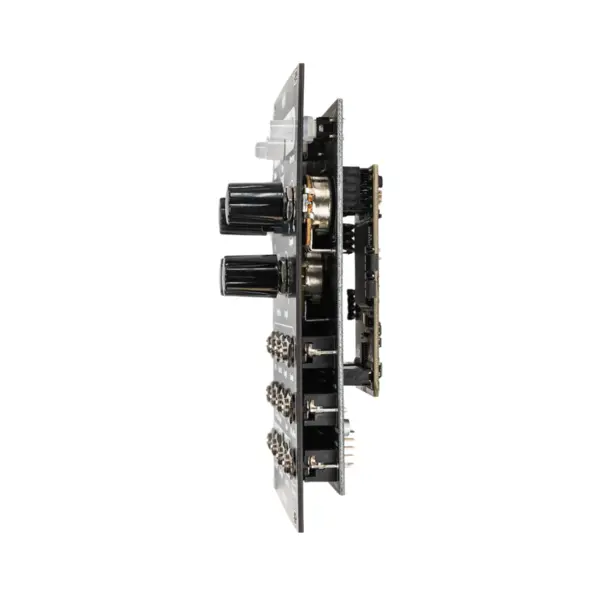
- 1.1 英吋(28mm,含電源線)
- 電源接頭
- 10 針 Eurorack
- 電源消耗
- +12V: 145mA / -12V: 41mA
- 錄製格式
- 48kHz / 24bit 立體聲 .wav
- 單檔上限
- 4GB
- 音高範圍
- -10 至 +4 個八度
- 銀行/樣本數
- 最多 60 銀行、600 樣本(每銀行 10 個)
- 音訊輸入頻率範圍
- 20Hz 至 10kHz(±0.1dB)
- 音訊輸出電壓範圍
- +10.5V 至 -10.5V
- 附贈記憶卡
- 16GB microSD(class 10)
- 音訊輸出頻率範圍
- 0Hz(直流)至 22kHz
展開完整規格(3 項)
- 音訊輸入最大峰對峰電壓
- 剪輯前最大峰值對峰值電壓:21V
- 觸發輸入延遲
- 典型值 0.7us
- 配件
- SD 轉接器、10-to-16 針電源線、M3 Knurlie 螺絲
Reviews:
Purchase FAQ
Q1. How is shipping calculated? Is there free shipping?
Orders over NT$3,000 qualify for free shipping. Orders under NT$3,000 incur a NT$120 shipping fee. In-store pickup is always free.
Q2. What payment methods are available?
We accept: credit card (single payment, or 3/6-month installments), bank transfer, convenience store payment code, cash on delivery, in-store payment, and AFTEE deferred payment. Installments are currently available only for credit cards issued by CTBC Bank, E.SUN Bank, and Taishin Bank. Cash on delivery is not available for software products or orders over NT$10,000.
E-invoices are issued for all purchases and sent automatically to your registered email. Once a personal (duplicate) invoice is issued, it cannot be changed or reissued as a company (triplicate) invoice.
Q3. How does in-store pickup work?
Select "In-store pickup" (free) at checkout. We will notify you by email once your items are ready. Please bring your order information to the store.
Store address: 2F., No. 2-1, Aly. 2, Ln. 244, Sec. 3, Roosevelt Rd., Zhongzheng Dist., Taipei City. Opening hours: Monday to Saturday 11:00 – 18:30 (closed on Sundays).
Q4. What is the inspection period?
According to the Consumer Protection Act, online purchases come with a 7-day inspection period starting from the delivery date. Please note that the "inspection period is not a trial period." The purpose is for you to inspect and review the product, not to use it. If you are unsatisfied after inspection, please do not open or use the product and follow the return procedures immediately. Returned products must be in complete packaging with all accessories, gifts, and original packaging intact. Any missing, damaged, or incomplete items may affect your return rights and restoration costs may be deducted.
Q5. How do I process a return or exchange?
If you wish to return a product, please ensure it is in complete, new condition with the original packaging undamaged. This includes the product itself, accessories, warranty card, original packaging, and all accompanying documents. If the product is damaged due to reasons attributable to you, we may not be able to process the return, or repair costs may be deducted from the refund. However, products with manufacturing defects are exempt and qualify for unconditional return or exchange.
Please contact us by phone or email within the inspection period, providing the reason for the return/exchange, current product condition, phone number, and pickup address. We will arrange the return within 3-5 business days.
Q6. How will I receive my refund, and how long does it take?
Refund methods and timelines vary by payment method:
Credit Card: After we receive the returned product, the refund will be credited to your credit card account within approximately 5-7 business days. Depending on your billing cycle, the refund may appear on your current or next statement. Please confirm with your credit card issuing bank.
Bank Transfer: Please contact service [at] digilog.tw with your complete bank details (bank name, branch name, bank code, account holder name, account number). We will arrange courier pickup of the returned product and transfer the refund to your designated account within 5-7 business days.
Q7. Is there a warranty on products?
Products come with a 1-year warranty. For repairs during the warranty period, please contact service [at] digilog.tw or call +886-2-23638171.
Q8. Do I need to pay for shipping when sending products for repair?
Round-trip shipping costs for product repairs are the customer's responsibility.
4ms Others:
-6%
-4%
-7%
-8%
-13%
-11%
You may be interested in:
-3%

目前尚無評論