NT$ 8,400
Home » Modular Synthesizer » Sequencer » Tiptop Audio 245t Sequential Voltage Source Model


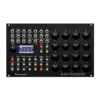
Tiptop Audio 245t Sequential Voltage Source Model
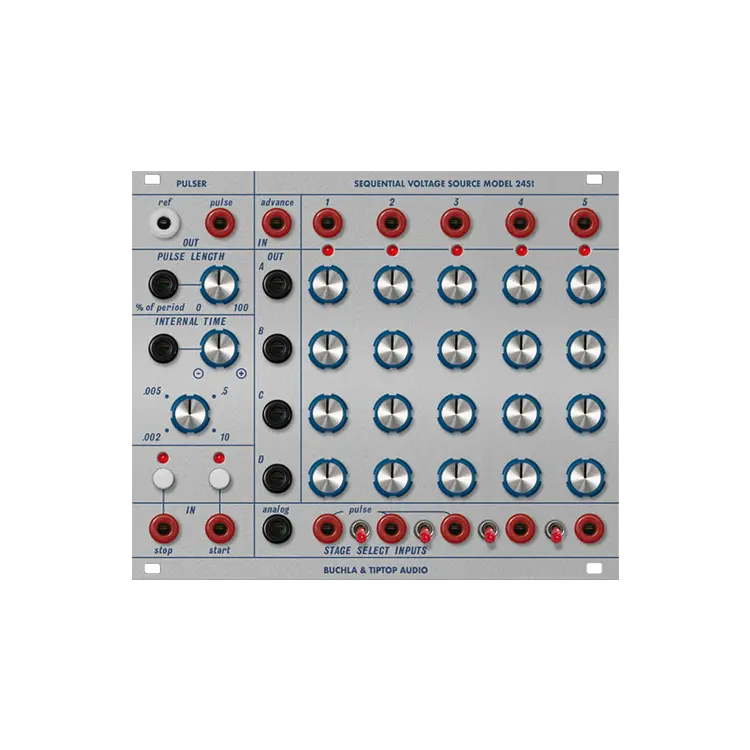
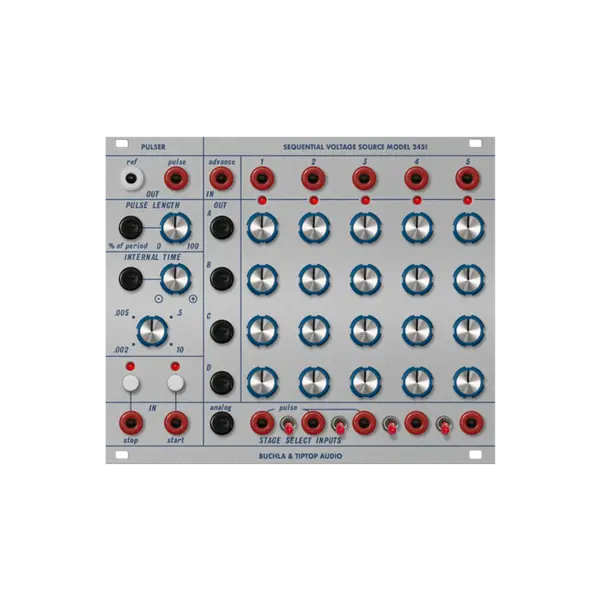
Tiptop Audio 245t 是一款 Eurorack 序列器模組(Sequencer),整合脈衝產生器(Pulser)與可儲存電壓階段(Stored Voltage Stages)兩大區段,可在模組系統中產生脈衝、參考斜波並依序播放儲存的類比電壓。
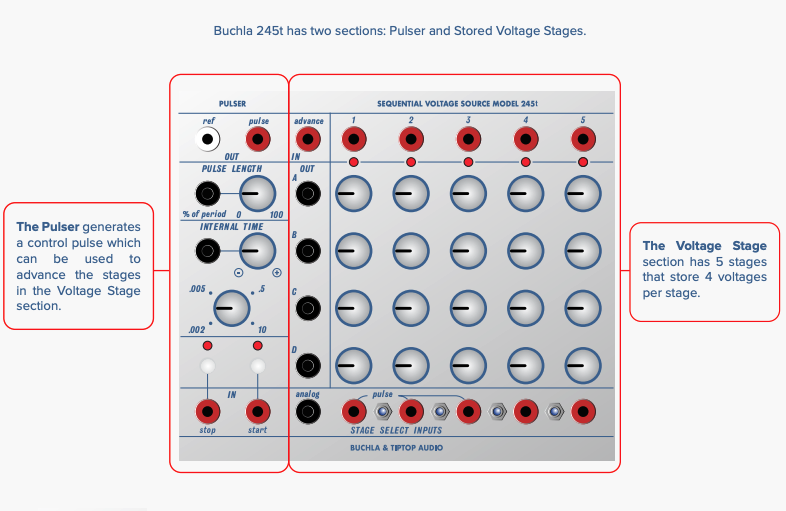
Pulser Section
Pulse - output generates a pulse with a 10V initial stage that lasts for 100uSec (0.1ms) followed by a 5V gate stage length determined by the Pulse Length control.
Ref - outputs a ramp wave that descends from 10V to 0V at the rate of the pulser.
Pulse Length - sets the length of the 5V stage of the pulse from 0 to 100% of the duty cycle. External CV control is added to the knob setting.
Internal Time - controls the period of the pulser output from 10 seconds (full CW) to a few milliseconds (full CCW). External CV has an attenuverted control to either add (CW) or subtract (CCW) external voltage from the knob setting. External CV can increase the maximum and minimum period of the pulser to approximately 50 seconds to 1ms (1kHz) (*).
Start - Pressing this button starts generating a pulse and reference ramp at those outputs. A pulse on the Start input also begins pulser generation.
Stop - Pressing the button or sending a pulse to the input jack stops the pulser if already running. Additional presses or pulses to the Stop input will manually trigger a single pulse output from the pulser.
Stored Voltage Stages
Advance In - accepts a pulse from the Pulser or external source (281t EOC for example) and each pulse advances to the next stage from 1 to 5. The switches in the Stage Select section can control the number of stages played back. Note, with all stage switches in down position playback will be on hold.
Stage Gate Output - Each stage has a dedicated gate output that produces a high voltage (10V) when that stage is active. This gate can be used to trigger events like envelopes.
Out - the voltage output of the current active stage. Each of the outputs has an independent voltage. Stored Voltages - 4 rows of 5 locations of stored analog voltages set by a control knob.
Analog (In) - CV input (0-10V) that addresses the stages. When the voltage is above the O range the Analog input is active and the Advance and Stage Select Inputs are disabled. Ranges are approximately(*): O (0V - 0.75V), Stage 1 (0.75V - 2.5V) Stage 2 (2.5V to 4.25V) Stage 3 (4.25V to 6V) Stage 4 (6V to 7.75V) Stage 5 (7.75V to 10V)
Stage Select Inputs - Pulses on these 5 inputs will immediately set the active Stage to the corresponding input. Using these inputs can create a type of analog preset memory for 4 CV settings in your modular system.
Stage Switches - These 4 switches enable or disable the stage transitions. Switch 1 controls Stage 1 to 2 transition, switch 2 Stage 2 to 3 and so on. By disabling a stage transition the length of the sequence can be shortened or captured.
商品規格
- 模組寬度
- 30 HP
- 模組深度
- 25mm
- 功耗
- +12V 63mA / -12V 28mA
- Ref Out
- 0 - 10V
- Pulser Out
- 0 - 10V
- CV 輸入範圍
- 0 - 10V
- 儲存電壓階
- 4 列 x 5 段
- Stored Voltage Out
- 0 - 10V
- Stage Gate Out
- 0 - 10V
- Start Pulse In
- 0 - 10V
- Stop Pulse In
- 0 - 10V

Reviews:
Purchase FAQ
Q1. How is shipping calculated? Is there free shipping?
Orders over NT$3,000 qualify for free shipping. Orders under NT$3,000 incur a NT$120 shipping fee. In-store pickup is always free.
Q2. What payment methods are available?
We accept: credit card (single payment, or 3/6-month installments), bank transfer, convenience store payment code, cash on delivery, in-store payment, and AFTEE deferred payment. Installments are currently available only for credit cards issued by CTBC Bank, E.SUN Bank, and Taishin Bank. Cash on delivery is not available for software products or orders over NT$10,000.
E-invoices are issued for all purchases and sent automatically to your registered email. Once a personal (duplicate) invoice is issued, it cannot be changed or reissued as a company (triplicate) invoice.
Q3. How does in-store pickup work?
Select "In-store pickup" (free) at checkout. We will notify you by email once your items are ready. Please bring your order information to the store.
Store address: 2F., No. 2-1, Aly. 2, Ln. 244, Sec. 3, Roosevelt Rd., Zhongzheng Dist., Taipei City. Opening hours: Monday to Saturday 11:00 – 18:30 (closed on Sundays).
Q4. What is the inspection period?
According to the Consumer Protection Act, online purchases come with a 7-day inspection period starting from the delivery date. Please note that the "inspection period is not a trial period." The purpose is for you to inspect and review the product, not to use it. If you are unsatisfied after inspection, please do not open or use the product and follow the return procedures immediately. Returned products must be in complete packaging with all accessories, gifts, and original packaging intact. Any missing, damaged, or incomplete items may affect your return rights and restoration costs may be deducted.
Q5. How do I process a return or exchange?
If you wish to return a product, please ensure it is in complete, new condition with the original packaging undamaged. This includes the product itself, accessories, warranty card, original packaging, and all accompanying documents. If the product is damaged due to reasons attributable to you, we may not be able to process the return, or repair costs may be deducted from the refund. However, products with manufacturing defects are exempt and qualify for unconditional return or exchange.
Please contact us by phone or email within the inspection period, providing the reason for the return/exchange, current product condition, phone number, and pickup address. We will arrange the return within 3-5 business days.
Q6. How will I receive my refund, and how long does it take?
Refund methods and timelines vary by payment method:
Credit Card: After we receive the returned product, the refund will be credited to your credit card account within approximately 5-7 business days. Depending on your billing cycle, the refund may appear on your current or next statement. Please confirm with your credit card issuing bank.
Bank Transfer: Please contact service [at] digilog.tw with your complete bank details (bank name, branch name, bank code, account holder name, account number). We will arrange courier pickup of the returned product and transfer the refund to your designated account within 5-7 business days.
Q7. Is there a warranty on products?
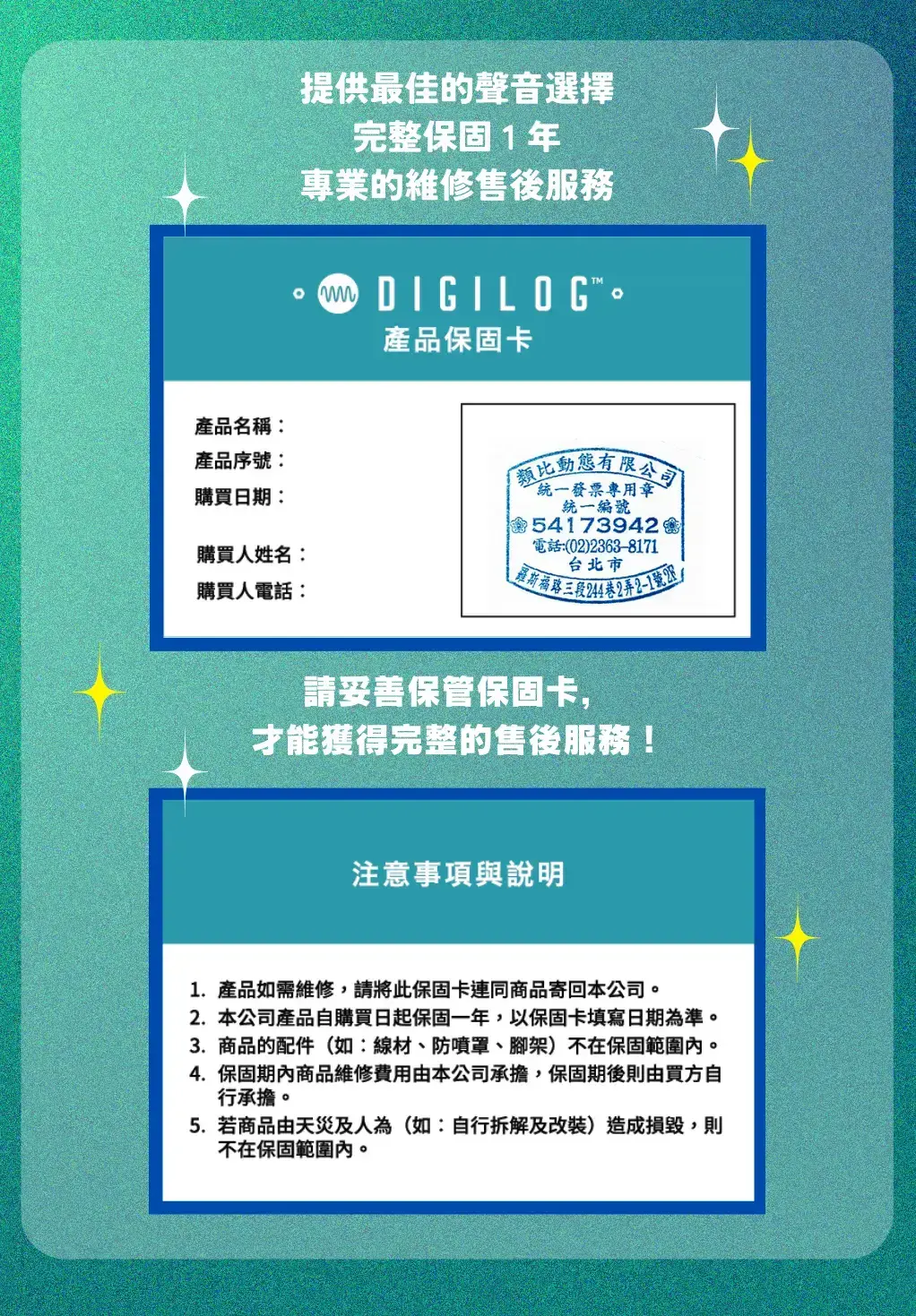
Products come with a 1-year warranty. For repairs during the warranty period, please contact service [at] digilog.tw or call +886-2-23638171.
Q8. Do I need to pay for shipping when sending products for repair?
Round-trip shipping costs for product repairs are the customer's responsibility.
You may be interested in:
-2%
-7%
-8%

目前尚無評論