NT$ 5,500
Home » Music Software » Effects Plugin » FabFilter Pro-Q 4 Equalizer EQ 效果器 Plugin (下載版)
Not sure what to pick? Read the buying guide:
DAW 編曲軟體怎麼選?主流音樂製作軟體比較
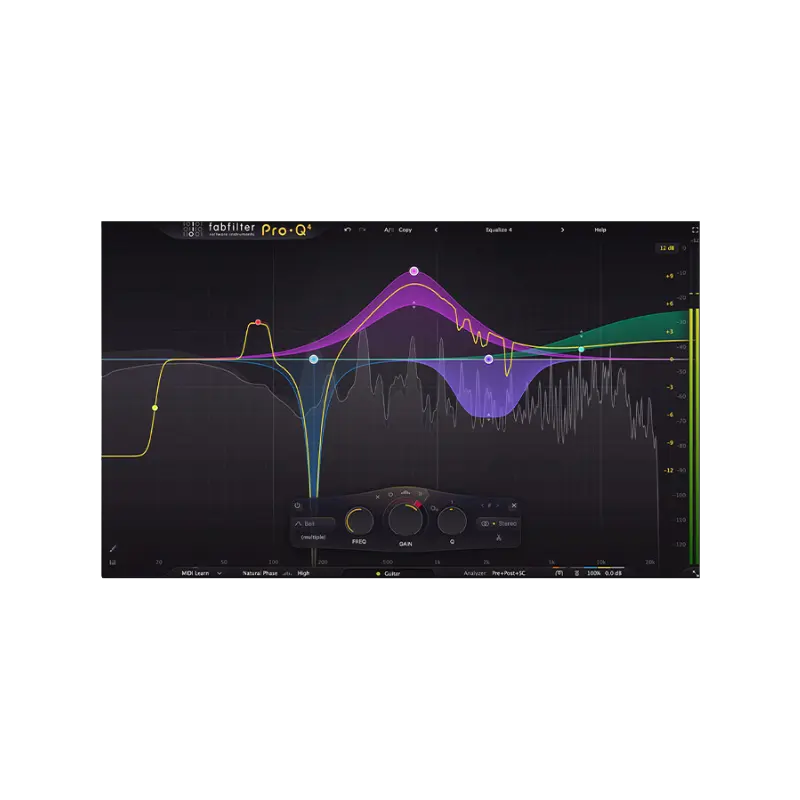
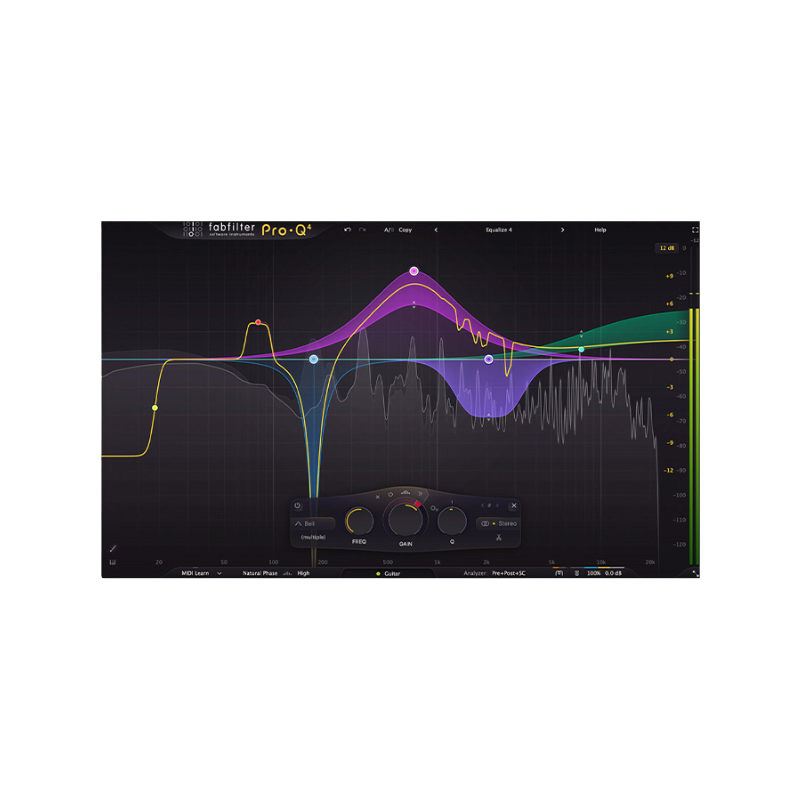
FabFilter Pro-Q 4 — 無與倫比的聲音與工作流程
FabFilter Pro-Q 4 是一款 EQ 等化器效果器軟體 Plugin,提供最高品質的聲音、非常全面的功能組合,以及令人驚艷且創新的介面,帶來無與倫比的使用便利性。均衡器 (EQ) 可能是您在混音與母帶處理中最常使用的工具,因此您需要最頂尖的選擇。
⚠ 退換貨注意
****購買前請詳閱****
此商品為序號下載版,非盒裝版本!
下單之後 1-2 天會將序號以 Email 寄出
軟體序號一經使用,恕無法退貨退款,購買前請三思
若有任何問題可來信
[email protected]
混音與母帶處理功能
Pro-Q 4 提供滿足嚴苛工程師需求的一切功能:除了零延遲模式與獨特的 Natural Phase 模式外,還包含頂級的線性相位操作、流暢的動態與頻譜 EQ、每頻段的中/側處理、完整的環繞聲支援(高達 Dolby Atmos 9.1.6)、智能 Solo 功能、可選的 Auto Gain,以及內建且完全可自訂的頻譜分析器。
輕鬆雕塑您的聲音
FabFilter Pro-Q 4 專為幫助您以最快速的方式實現理想聲音而設計。透過大型互動式 EQ 顯示畫面,您可以在需要的地方新增或繪製頻段,為任意頻段啟用動態 EQ,並一次選取與編輯多個頻段。
獨特功能如 Spectrum Grab、全螢幕模式以及 EQ Match 更能大幅提升您的工作流程效率。親自試試看吧!
在單一介面管理所有 Pro-Q 4
使用 Pro-Q 4,您可以從單一介面控制您會話中的所有 Plug-in,並輕鬆透過篩選、釘選和縮放功能瀏覽清單。
您將發現,清單化瀏覽是一個巨大的時間節省工具,讓您在混音會話開始時進行初步 EQ 設定更加簡單高效。
精準處理問題頻率
在頻譜動態模式下,Pro-Q 4 不會改變整個頻段的增益,而是僅針對頻段內超過閾值的特定頻率進行觸發,其他頻率則不受影響。這是一種極佳的方式來處理變動的問題頻率。
通常,這類處理需要一個獨立且往往複雜的 Plug-in,但 Pro-Q 4 將此過程簡化,使其易於使用且容易理解,作為一般動態處理的自然延伸。
EQ Sketch 與使用便利性
在使用均衡器進行初始 EQ 設定時,通常需要新增一些基本頻段,例如低切濾波器、幾個鐘形濾波器以及高架濾波器,作為一般的起點。
現在,您只需一個手勢就能繪製出所需的曲線。這就是 EQ Sketch 的強大之處!
產品特色
- 多達 24 個 EQ 頻段
- 所有頻段 (Bell 和 Shelf 形狀) 支援可選的動態 EQ 模式,具備可調的 Attack 和 Release,並提供可選的 Sidechain 篩選與外部觸發功能。
- 新增先進的頻譜動態處理,有效且精準地處理音訊中的問題頻率。
- 完整支援沉浸式/Dolby Atmos® 功能(高達 9.1.6),具備智能喇叭選擇功能。
- 新增 EQ Sketch,讓您只需一次動作即可繪製所需的 EQ 曲線,快速完成初始 EQ 設定。
- 改進 所有濾波類型的連續斜率設置最高可達 96 dB/Oct,低通和高通濾波器具備超陡峭的「Brickwall」斜率選項。
- 新增 透過實例清單快速高效工作,隨時檢視和控制會話中的其他 Pro-Q 4 實例。
- 改進 精美的 Retina 介面,搭配大型互動式 EQ 顯示畫面,支援多頻段選擇與編輯,提供最佳的使用便利性與效率。
- 每頻段支援中/側或左/右訊號處理,可單獨調整中、側、左或右的訊號。
- 改進 支援零延遲模式、可調延遲的高品質線性相位模式以及獨特的 Natural Phase 模式。
- 新增 Gentle 和 Warm Character 模式,可為混音增添類比溫暖感。
- Spectrum Grab:直接在即時頻譜分析器中抓取並調整頻譜的峰值。
- 可調整大小的介面,支援全螢幕模式與自訂比例縮放。
- 改進 濾波形狀包括 Bell、Notch、高/低架、高/低切、帶通、Tilt Shelf、Flat Tilt 和 All Pass。
- 改進 EQ Match 功能,能自動匹配其他 Pro-Q 4 實例或外部訊號的頻譜。
- 改進 內建頻譜分析器,支援 Pre-EQ、Post-EQ 與外部頻譜視覺化,具備可調範圍、速度、解析度、傾斜、凍結與碰撞檢測功能。
- Auto Gain 與 Gain Scale 功能。
- 可選的鋼琴卷軸顯示,將 EQ 頻率量化為音符。
- Flat Tilt 濾波形狀,能對整個可聽頻率範圍進行平滑的傾斜修正。
- 支援多種顯示範圍:3 dB 與 6 dB 範圍適合母帶處理,12 dB 與 30 dB 適合混音使用。
- 智能 Solo 模式輕鬆找到問題頻率,並聽見頻段的效果。
- 反相選項可更改訊號極性。
- 極致 CPU 優化:Pro-Q 4 的 CPU 與記憶體佔用極低,讓您能在一個會話中使用數百個實例。
- 新增 EQ 頻段或預設可在 Plug-in 實例間複製與貼上。
- 支援 Pro Tools 常用的硬體控制介面。
- 可直接雙擊文字輸入參數值。
- MIDI Learn 功能,支援控制當前活躍的頻段。
- GPU 加速圖形渲染。
- 大型輸出電平計,具備峰值讀數顯示。
- Undo/Redo 與 A/B 比較功能。
- 智能參數插值功能。
- 所有參數支援採樣精準的自動化控制。
- 詳盡的說明文件,內含互動式提示說明。
- 支援多種格式:VST、VST3、Audio Units、CLAP、AAX Native 與 AudioSuite。
系統需求
Windows
- 支援 Windows 11、10、8、7 或 Vista
- 64 位元或 32 位元
- VST 2/3 或 CLAP 主機,或 Pro Tools
macOS
- 支援 macOS 10.13 或更高版本(僅支援 64 位元)
- AU、VST 2/3 或 CLAP 主機,或 Pro Tools
- 支援 Apple Silicon 或 Intel 處理器
商品規格
- 授權類型
- 序號下載版
- EQ 頻段
- 多達 24 個
- 濾波斜率
- 最高可達 96 dB/Oct
- 環繞聲支援
- 高達 Dolby Atmos 9.1.6
- 顯示範圍
- 3 dB / 6 dB / 12 dB / 30 dB
- 支援平台
- Windows / macOS
- Windows 系統需求
- Windows 11、10、8、7 或 Vista,64 位元或 32 位元
- macOS 系統需求
- macOS 10.13 或更高版本(僅 64 位元)
- 格式
- VST、VST3、Audio Units、CLAP、AAX Native、AudioSuite
- 處理器支援
- Apple Silicon 或 Intel
Reviews:
Purchase FAQ
Q1. How is shipping calculated? Is there free shipping?
Orders over NT$3,000 qualify for free shipping. Orders under NT$3,000 incur a NT$120 shipping fee. In-store pickup is always free.
Q2. What payment methods are available?
We accept: credit card (single payment, or 3/6-month installments), bank transfer, convenience store payment code, cash on delivery, in-store payment, and AFTEE deferred payment. Installments are currently available only for credit cards issued by CTBC Bank, E.SUN Bank, and Taishin Bank. Cash on delivery is not available for software products or orders over NT$10,000.
E-invoices are issued for all purchases and sent automatically to your registered email. Once a personal (duplicate) invoice is issued, it cannot be changed or reissued as a company (triplicate) invoice.
Q3. How does in-store pickup work?
Select "In-store pickup" (free) at checkout. We will notify you by email once your items are ready. Please bring your order information to the store.
Store address: 2F., No. 2-1, Aly. 2, Ln. 244, Sec. 3, Roosevelt Rd., Zhongzheng Dist., Taipei City. Opening hours: Monday to Saturday 11:00 – 18:30 (closed on Sundays).
Q4. What is the inspection period?
According to the Consumer Protection Act, online purchases come with a 7-day inspection period starting from the delivery date. Please note that the "inspection period is not a trial period." The purpose is for you to inspect and review the product, not to use it. If you are unsatisfied after inspection, please do not open or use the product and follow the return procedures immediately. Returned products must be in complete packaging with all accessories, gifts, and original packaging intact. Any missing, damaged, or incomplete items may affect your return rights and restoration costs may be deducted.
Q5. How do I process a return or exchange?
If you wish to return a product, please ensure it is in complete, new condition with the original packaging undamaged. This includes the product itself, accessories, warranty card, original packaging, and all accompanying documents. If the product is damaged due to reasons attributable to you, we may not be able to process the return, or repair costs may be deducted from the refund. However, products with manufacturing defects are exempt and qualify for unconditional return or exchange.
Please contact us by phone or email within the inspection period, providing the reason for the return/exchange, current product condition, phone number, and pickup address. We will arrange the return within 3-5 business days.
Q6. How will I receive my refund, and how long does it take?
Refund methods and timelines vary by payment method:
Credit Card: After we receive the returned product, the refund will be credited to your credit card account within approximately 5-7 business days. Depending on your billing cycle, the refund may appear on your current or next statement. Please confirm with your credit card issuing bank.
Bank Transfer: Please contact service [at] digilog.tw with your complete bank details (bank name, branch name, bank code, account holder name, account number). We will arrange courier pickup of the returned product and transfer the refund to your designated account within 5-7 business days.
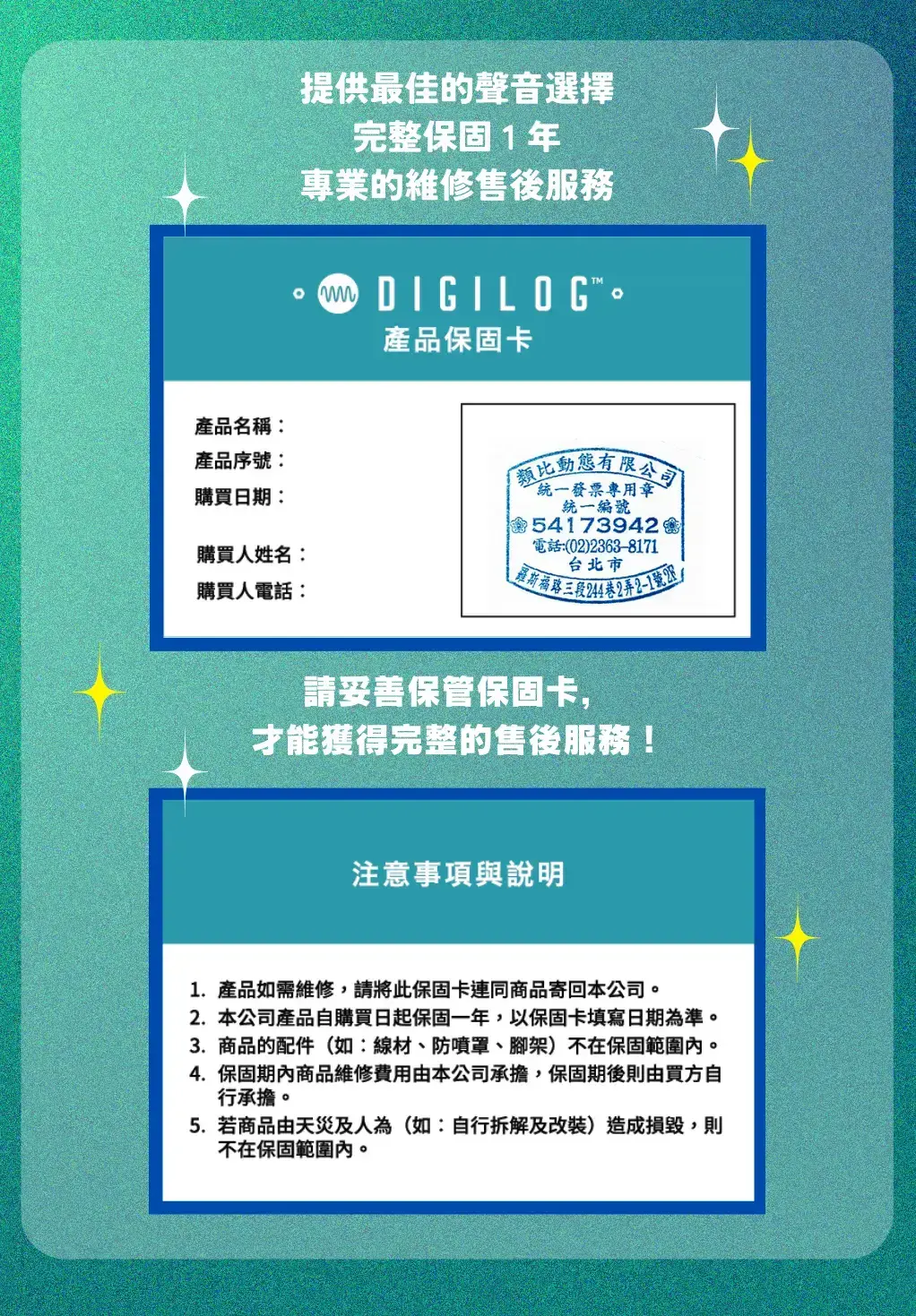
Q7. Is there a warranty on products?
Products come with a 1-year warranty. For repairs during the warranty period, please contact service [at] digilog.tw or call +886-2-23638171.
Q8. Do I need to pay for shipping when sending products for repair?
Round-trip shipping costs for product repairs are the customer's responsibility.


You may be interested in:
-50%
NEW
NEW
NEW
.png)
NEW

目前尚無評論