NT$ 16,500
Home » Audio Interface » Podcast Streaming Interface » TC Helicon GoXLR 直播 電競用 人聲效果器 錄音介面
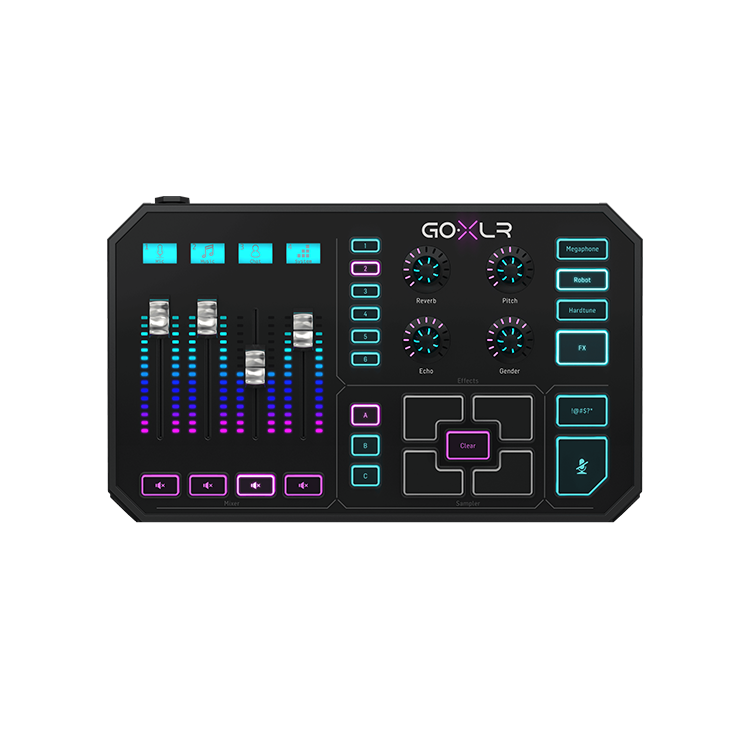
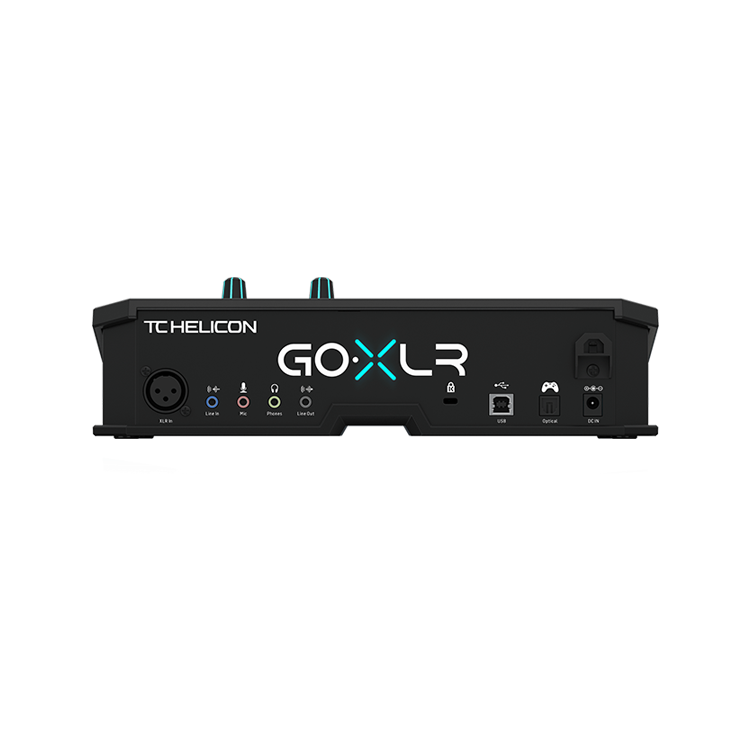
專為電競、直播等內容創作者為生 - 搭載 Motor Fader 、即時人聲效果、高品質前級的劃時代錄音介面
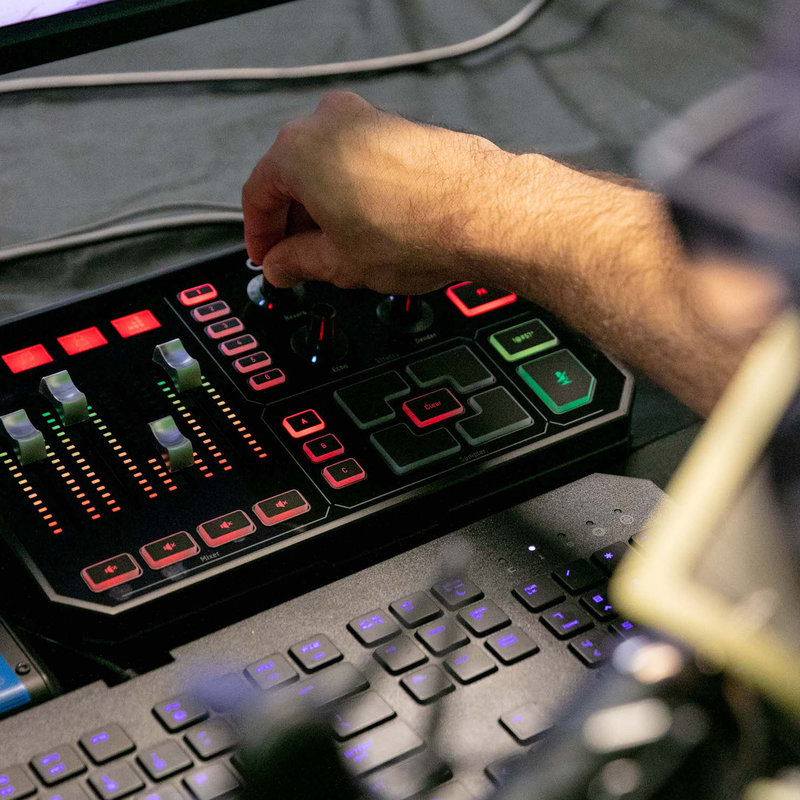
TC Helicon GoXLR 是一款專門為新世代電競、直播等線上內容創作者所打造的新時代錄音介面,無論是操作按鍵介面或是整體使用流程,都經過重新設計,可以完美的符合使用者需求。
GoXLR 能夠將不同視窗中的音訊分別獨立進行操控,酷炫的 Motor Fader 能夠自動化控制你設定好的參數,讓你能夠立即操控不同視窗、 APP 中的音訊,加上音訊業界標準規格的取樣率、解析度以及麥克風前級,無論你想錄製 Cover 、直播、在遊戲中即時與隊友通話,甚至是同時做上述的事情, GoXLR 都能夠勝任於你的需求。
此外,GoXLR 針對人聲效果也有相當豐富的功能,機器上搭載多種人聲效果例如 Reverb 、 Echo 等等效果能夠即時渲染人聲。
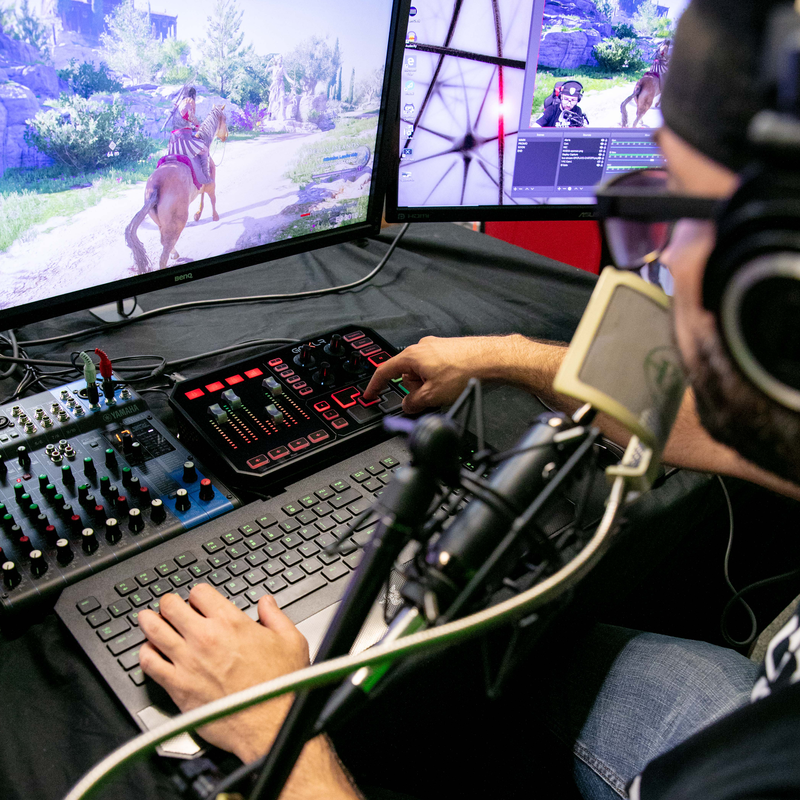
即時調整眾多視窗中的音訊
GoXLR 提供四個 Fader 滑桿能夠讓你自由分配到不同的應用程式上,如此一來,你可以輕鬆地掌控你所有正在進行中作業的音訊。
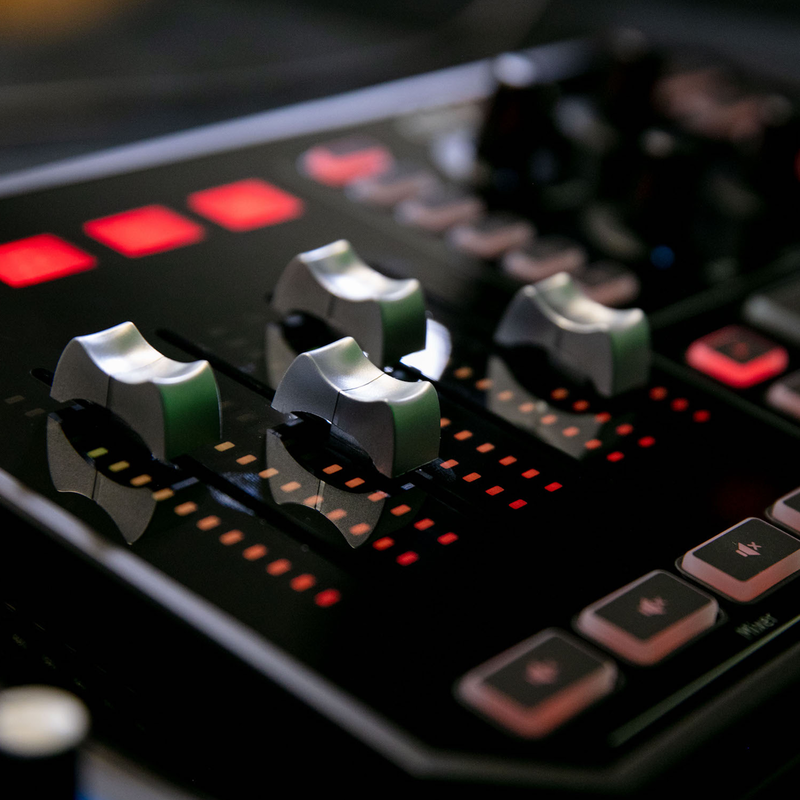
自動化控制的 Motor Fader (自動滑桿)
在分配好音訊的程式並設定好參數後,每當你切換視窗,電動滑桿即會即時的移動至你原先設定好的參數,讓你無須移開視線,專注於你正在進行的作業中。
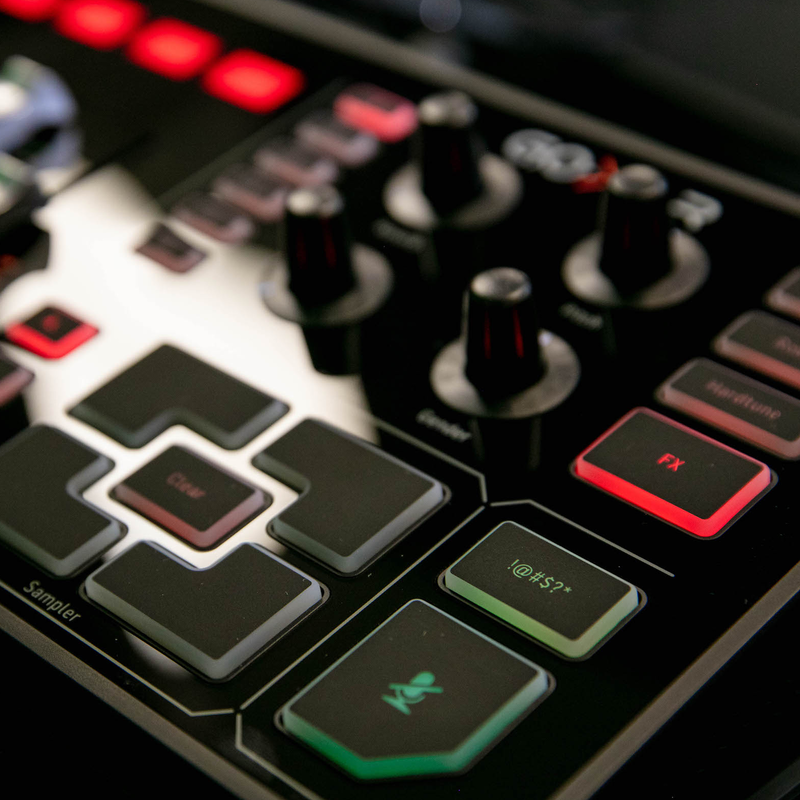
能夠預設聲音的打擊板!
在 GoXLR 上方有著能夠預先儲存好聲音的打擊墊,讓你在直播甚至是錄製 Podcast 時做出特的應景音效。
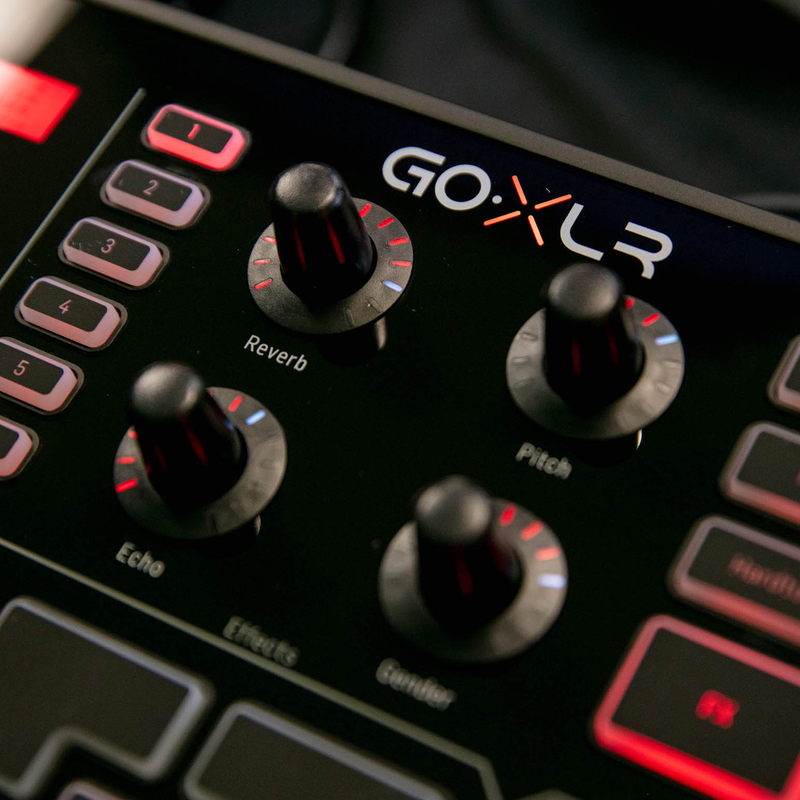
擁有錄音室等級的人聲效果器
在 GoXLR 上,內建了多種錄音室等級的人聲效果器,如: Reverb / Echo / Pitch Shift / Gender Band / Robot / Megaphone 以及 Hardtone 。
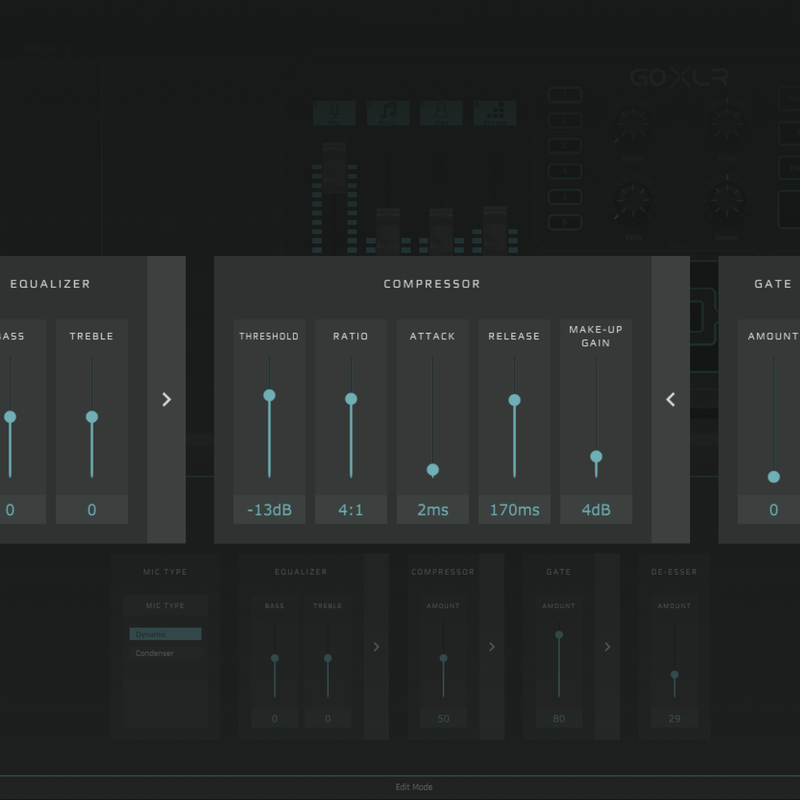
在聲音的形塑上, GoXLR 能夠做到的遠比你想的多
在 GoXLR 中,內建了極低延遲的 EQ / Compressor / De-esser / Gate ,並在軟體中提供前述效果的細節調整,你無須再使用其他音訊軟體進行這些作業,有了 GoXLR ,打造專業聲音錄製就是如此簡單。
GoXLR 驚人的麥克風前級
在 GoXLR 中,搭載了一個極低底噪,同時又強而有力的麥克風前級,能夠將麥克風輸入的訊號無損且乾淨的放大,即使是訊號量較小的麥克風,也能輕易推大,無須外置麥克風前級,當然, GoXLR 也配置了 48v 幻象電源供你的電容式麥克風使用。
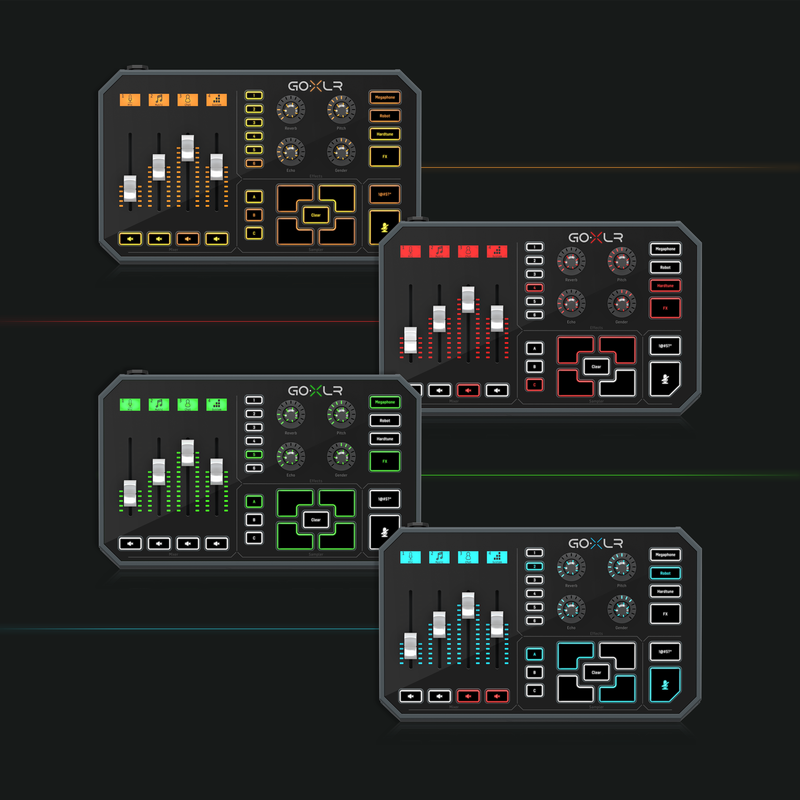
個性化 GoXLR 設定
在 GoXLR 專屬 APP 中,你能夠隨心調整介面燈光顏色,讓 GoXLR 更符合你的個性。
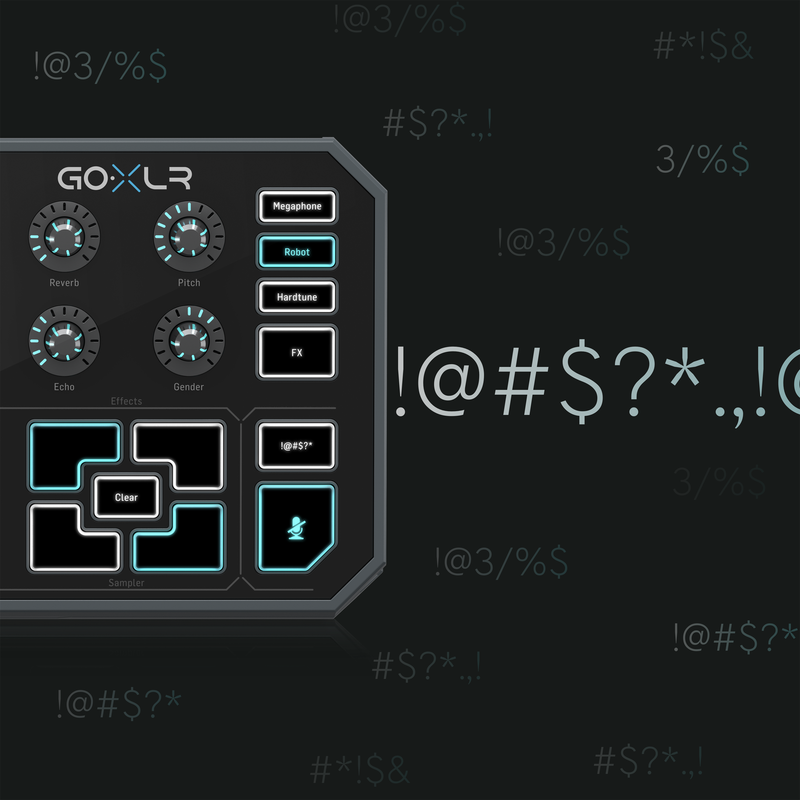
貼心的即時消音按鈕
在 GoXLR 上,配置了一顆即時消音鈕,按下去的當下會立即關閉收音或指定軌道的音訊,讓你在意外咳嗽、打噴嚏或不小心罵出不雅字眼時能夠即時消音,確保你的直播受眾不會被突如其來的聲音給影響到。
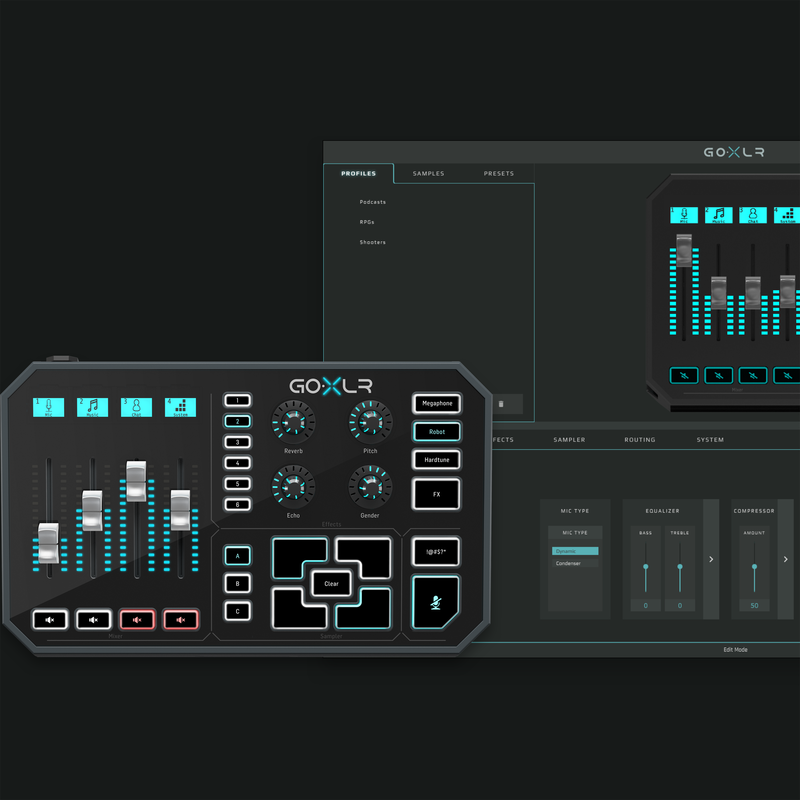
只要一個 APP 便能控制整個工作流程
在 GoXLR 專屬的 APP 中,能夠控制實體介面上的所有功能、分配要操控音訊的各個 APP 、效果器參數、自動化控制以及更多細節功能調整。
詳細規格
- 類型: 直播用錄音介面、小型混音器、人聲效果器
- 軌數: 4
- 連接規格: USB 2.0
- 類比轉數位取樣率、解析度: 48 k Hz / 24 bit
- 推桿數: 4 個電動推桿
- 麥克風輸入: XLR*1 / 3.5mm TRS *1
- 輸入: 3.5 mm TRS *1
- 48v 幻象電源: 有 (經由 APP 控制)
- 輸出: 3.5mm TRS *1
- 輸出: 3.5mm TRS *1
- 耳機監聽輸出: 3.5mm TRS *1
- USB 連接: Type B *1
- 其他 I/O : 額外的光纖輸入 (Toslink) ,可以給 Xbox / Playstation 使用
- EQ 可控制參數: Bass / Treble / Graphic EQ
- 效果器: Reverb / Echo / Pitch Shift / Gender / Megaphone / Robot / Hardtune / Compressor / Gate
- 自動化控制: 電動滑桿
- 儲存: Sample 存取
- 軟體: 專屬的 GoXLR APP
- 系統需求: Windows 7 以上
- 電源供應: 12v DC 供電
- 體積: 長 * 寬 * 高 - 28.4 * 17.5 * 8.1 cm
- 重量: 1542.2 g


Reviews:
Purchase FAQ
Q1. What is the inspection period?
According to the Consumer Protection Act, online purchases come with a 7-day inspection period starting from the delivery date. Please note that the "inspection period is not a trial period." The purpose is for you to inspect and review the product, not to use it. If you are unsatisfied after inspection, please do not open or use the product and follow the return procedures immediately. Returned products must be in complete packaging with all accessories, gifts, and original packaging intact. Any missing, damaged, or incomplete items may affect your return rights and restoration costs may be deducted.
Q2. How do I process a return or exchange?
If you wish to return a product, please ensure it is in complete, new condition with the original packaging undamaged. This includes the product itself, accessories, warranty card, original packaging, and all accompanying documents. If the product is damaged due to reasons attributable to you, we may not be able to process the return, or repair costs may be deducted from the refund. However, products with manufacturing defects are exempt and qualify for unconditional return or exchange.
Please contact us by phone or email within the inspection period, providing the reason for the return/exchange, current product condition, phone number, and pickup address. We will arrange the return within 3-5 business days.
Q3. How will I receive my refund, and how long does it take?
Refund methods and timelines vary by payment method:
Credit Card: After we receive the returned product, the refund will be credited to your credit card account within approximately 5-7 business days. Depending on your billing cycle, the refund may appear on your current or next statement. Please confirm with your credit card issuing bank.
Bank Transfer: Please contact service [at] digilog.tw with your complete bank details (bank name, branch name, bank code, account holder name, account number). We will arrange courier pickup of the returned product and transfer the refund to your designated account within 5-7 business days.
Q4. Do I need to pay for shipping when sending products for repair?
Round-trip shipping costs for product repairs are the customer's responsibility.
You may be interested in:

USB Type-B Audio Interface
RME Babyface Pro FS 錄音介面
RME Babyface Pro FS 錄音介面
Price
NT
30,900
Price
NT
30,900
-10%
USB Type-C Audio Interface
Audient EVO 4 USB 錄音介面 Evo4
Audient EVO 4 USB 錄音介面 Evo4
NT 5,000
Price
NT
4,500
NT 5,000
Price
NT
4,500
-2%
USB Type-C Audio Interface
Universal Audio Volt 476 Type-C 錄音介...
Universal Audio Volt 476 Type-C 錄音介...
NT 13,100
Price
NT
12,900
NT 13,100
Price
NT
12,900
USB Type-C Audio Interface
Heritage Audio i73 Pro Edge USB-C I...
Heritage Audio i73 Pro Edge USB-C I...
Price
NT
56,000
Price
NT
56,000

-15%
Thunderbolt Audio Interface
Universal Audio Apollo Twin X DUO G...
Universal Audio Apollo Twin X DUO G...
NT 49,400
Price
NT
41,900
NT 49,400
Price
NT
41,900

Mobile Recording Interface
Zoom H6Studio 手持錄音機
Zoom H6Studio 手持錄音機
Price
NT
13,980
Price
NT
13,980
 What's New
 Brands
 Rental
目前尚無評論