NT$ 8,200
Home » Music Software » 音源軟體 Plugin » iZotope Ozone 9 Standard 音訊平衡插件

****購買前請詳閱****
此商品為序號下載版,非盒裝版本!
下單之後 1-2 天會將序號以 Email 寄出
軟體序號一經使用,恕無法退貨退款,購買前請三思
若有任何問題可來信
[email protected]
Create with confidence using tools that polish and perfect your sound, and give you control the final result.
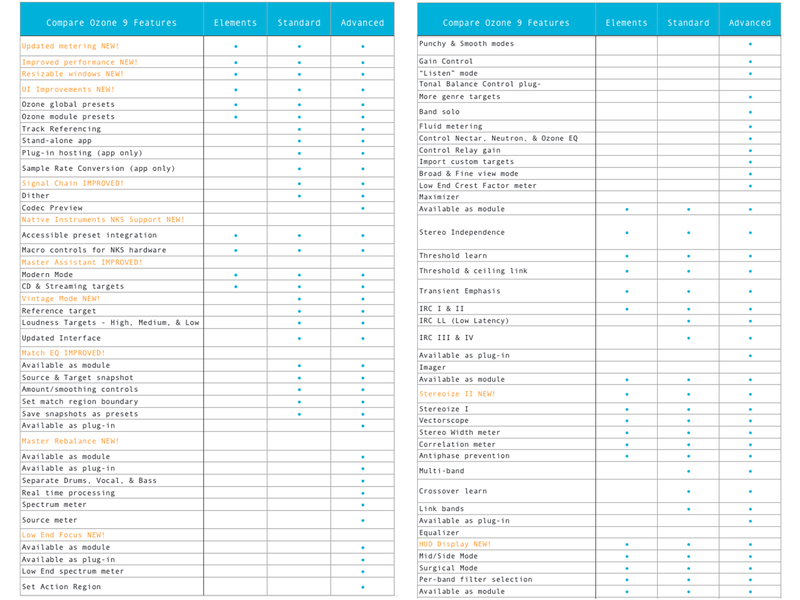
Ozone 9 is here, bringing the latest advances in audio technology to the world of mastering. Find the perfect modern or vintage vibe with an expanded Master Assistant, or match to your favourite reference track with the new Match EQ. Work faster with improved plug-in performance, smoother metering, and resizable windows. Stop wondering if your music is ready for primetime—with Ozone 9, the future of mastering is in your hands.
Why Ozone 9?
AI-powered mastering

Master with machine learning: Ozone 9 helps make mastering easier with AI powered assistive tools that give you an instant starting point. Master Assistant can add modern or vintage vibes and help you get the right loudness for streaming.
Match your reference track
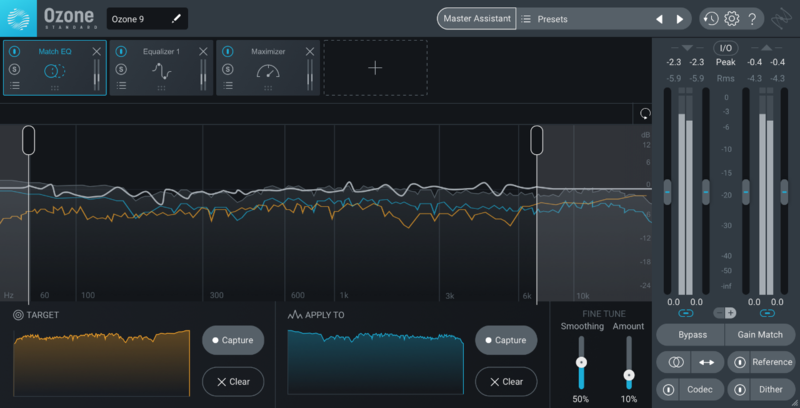
Load your favourite reference tracks into Ozone 9, loop any section, and compare your master with a single button press. Take a snapshot of your reference with the new Match EQ module, and save your favorite profiles as presets for other songs. Or, use Master Assistant to set up a custom chain based on your reference.
Tonal Balance Control
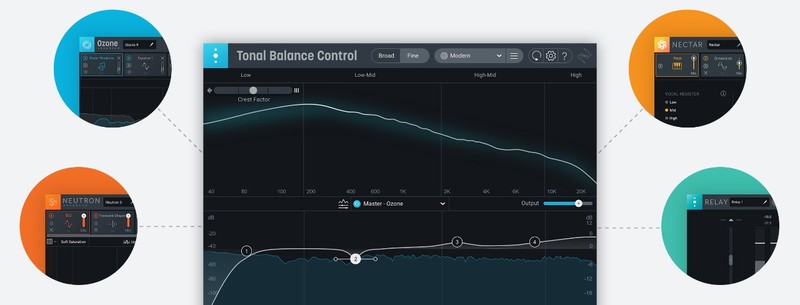
Finalize and fine-tune your master in any listening environment using target curves for different genres. Quickly fix issues where you see them by calling up Ozone's EQ against your target. Use Tonal Balance Control in your mix session and adjust gain and EQ for Nectar, Neutron, and Relay plug-ins to keep frequencies in line.
NKS Support
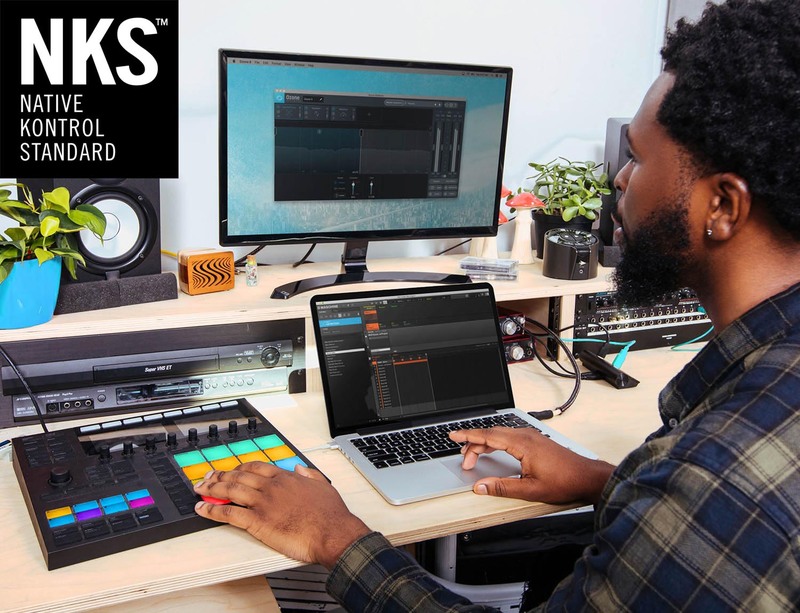
Put the power of Ozone into your creative process and master while making music with Maschine or Komplete Kontrol. Open Ozone on the fly and easily add professional polish while making music on your hardware, using hundreds of different presets and accessible parameters mapped to your hardware controls. Add loudness, width, and EQ without touching your DAW and keep the creative juices flowing.
What's in Ozone?
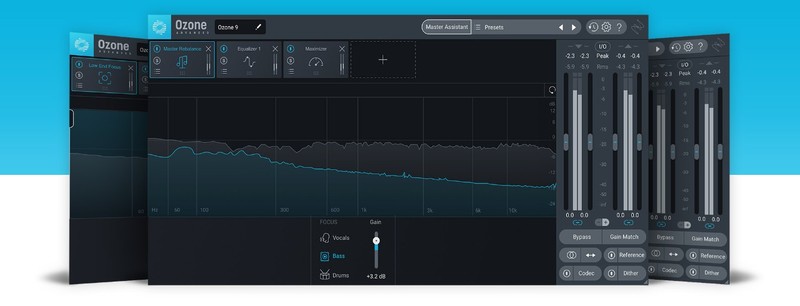
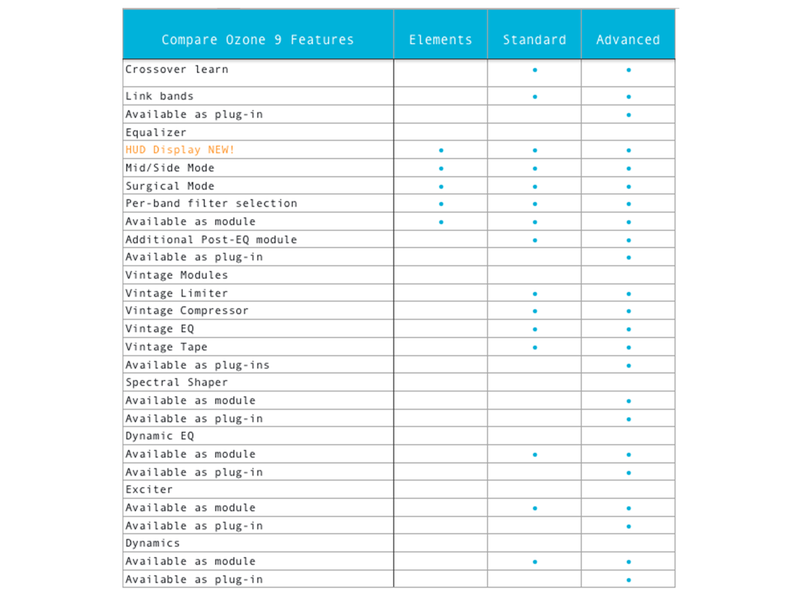
Equalizer
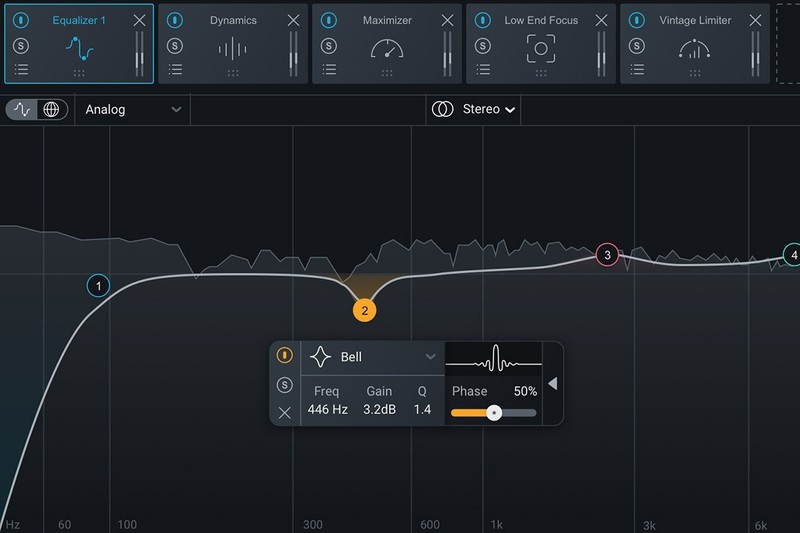
Control the finest details of your sound with fluid metering and new HUD controls
- Emulate classic analogue EQs or modern digital models depending on your style
- Use Mid/Side mode to correct frequencies in the sides of your audio
- NEW! Enjoy smooth, fluid metering and a resizable window that lets you see more of your sound
Imager
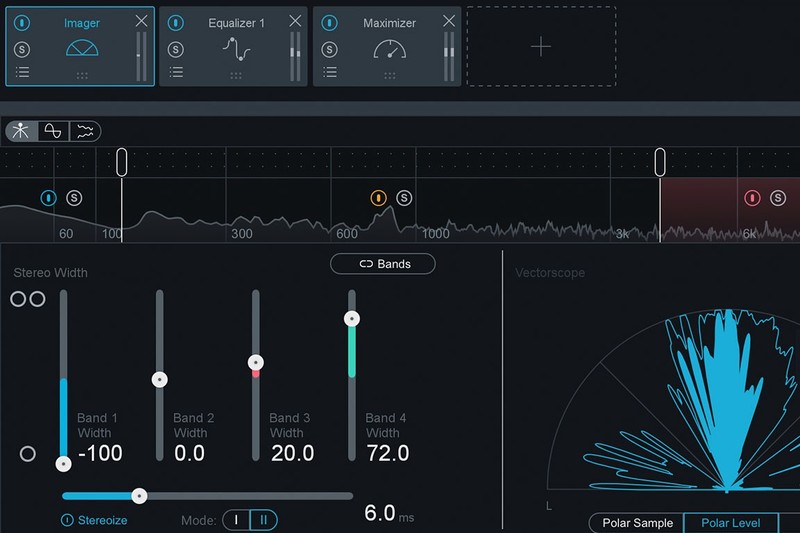
Add natural stereo width to narrow mixes with an upgraded “Stereoize” mode:
- NEW! Two modes for stereoize give you new flavors for widening your track
- Sculpt your image in stereo with per-band widening and narrowing
- Monitor stereo width and phase new fluid metering
Track Referencing
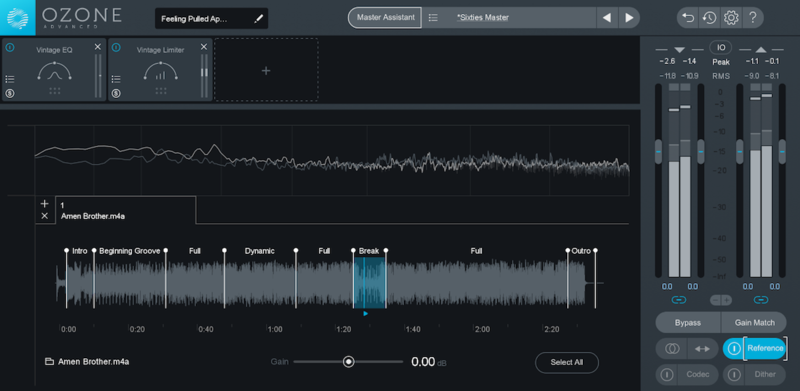
Seamlessly compare your mix with a reference track at the touch of a button
- Loop specific regions of your references and load up to 16 at once into Ozone
- See your reference displayed in Ozone’s meters for easy visual comparison
- Use Master Assistant to automatically match the tone of your loaded reference tracks
Maximizer
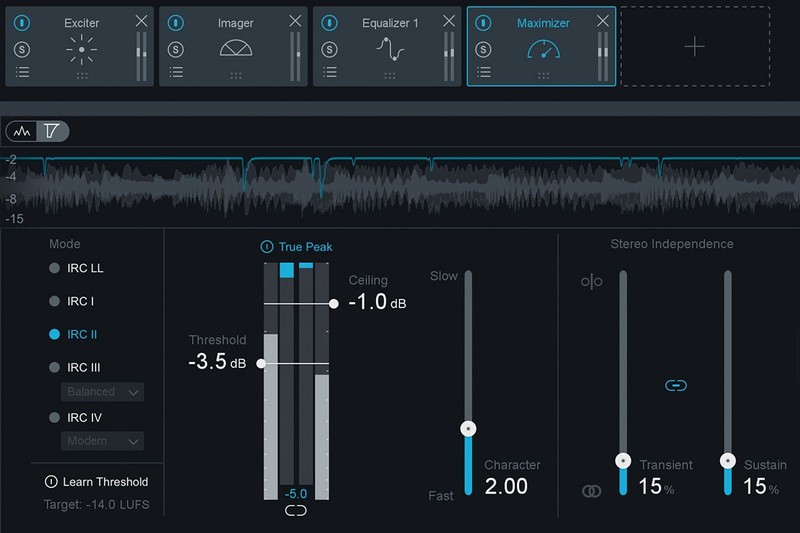
Make mixes LOUD while preserving dynamics with Ozone’s intelligent limiter
- Intelligent Release Control (IRC) modes react to your sound to reduce distortion and pumping
- Threshold Learn mode intelligently sets loudness to a target LUFS level
- True Peak detection ensures your audio doesn’t clip after export
Dynamic EQ
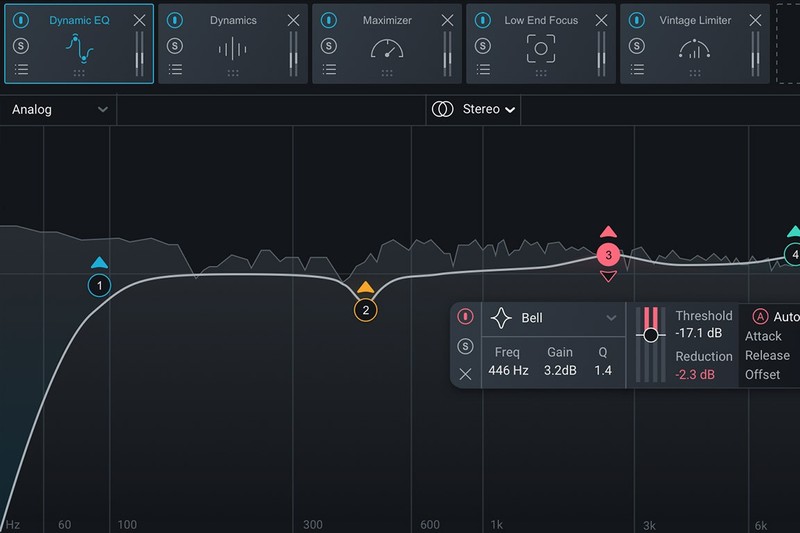
Make EQ boosts and cuts that respond to the dynamics of your audio
- Make subtle boosts and cuts that occur only when frequencies are too loud or soft
- Control threshold, attack, and release along with frequency and gain
- More precise that a compressor and more subtle than a normal EQ!
Exciter
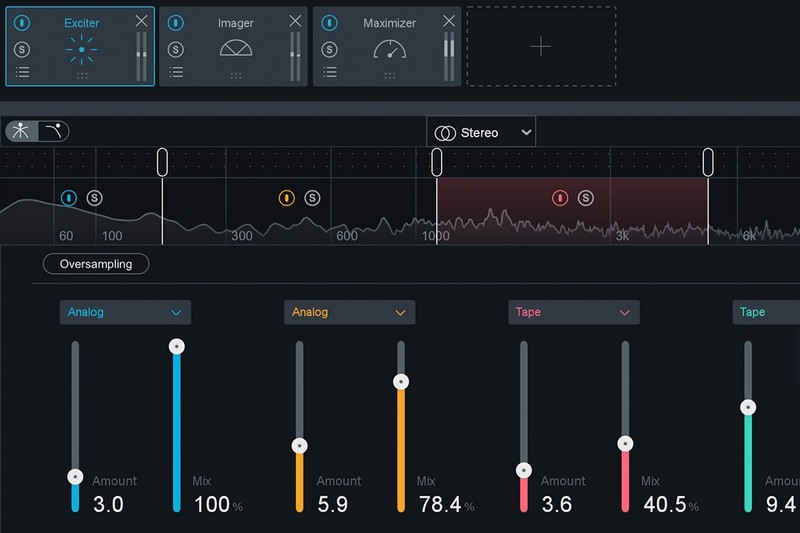
Mix and match between seven different types of distortion to add warmth and character
- Use different flavours of distortion such as Tape, Retro, or Tube
- Add different distortion modes on multiple bands to create your own unique tonal balance
Dynamics
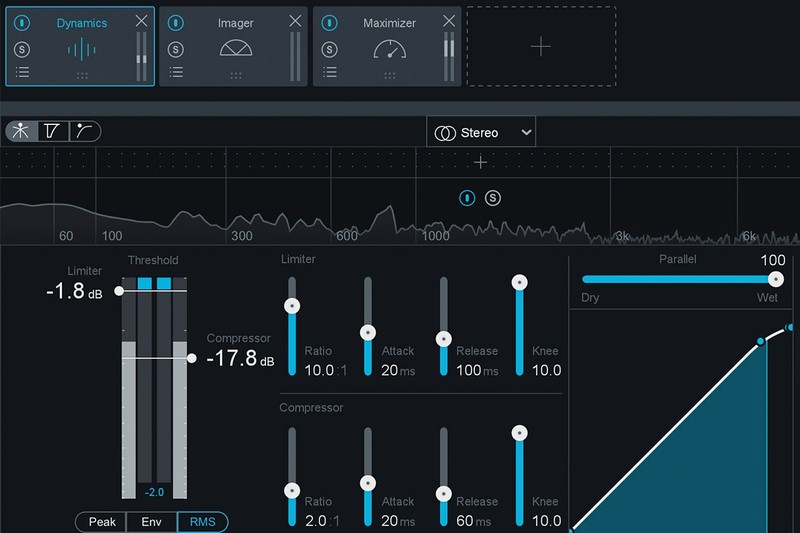
The mastering engineer’s most versatile tool. Tame dynamic mixes and give your tracks energy.
- Compress in up to four bands, or with the Detection Filter mode
- Use Auto-release mode for a smooth, natural response
Vintage Modules
Vintage Tape
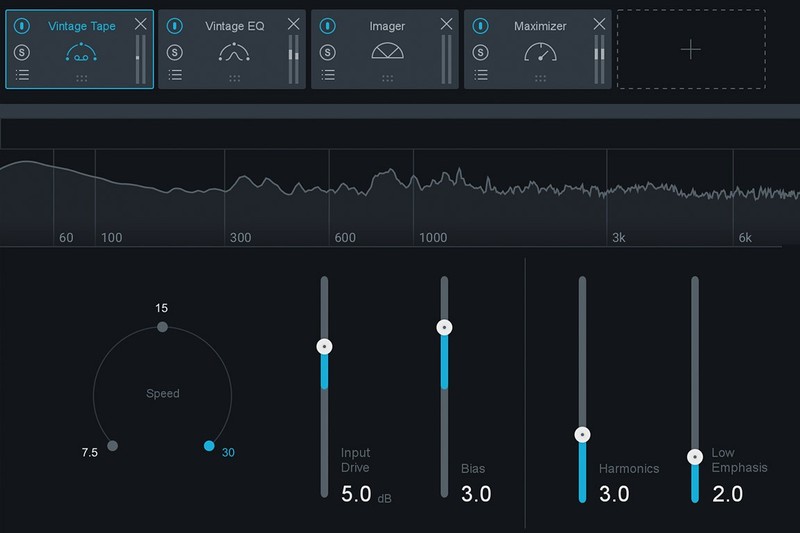
Introduce rich saturation with all the frequency colouration, distortion, and phase effects of tape.
Vintage Limiter
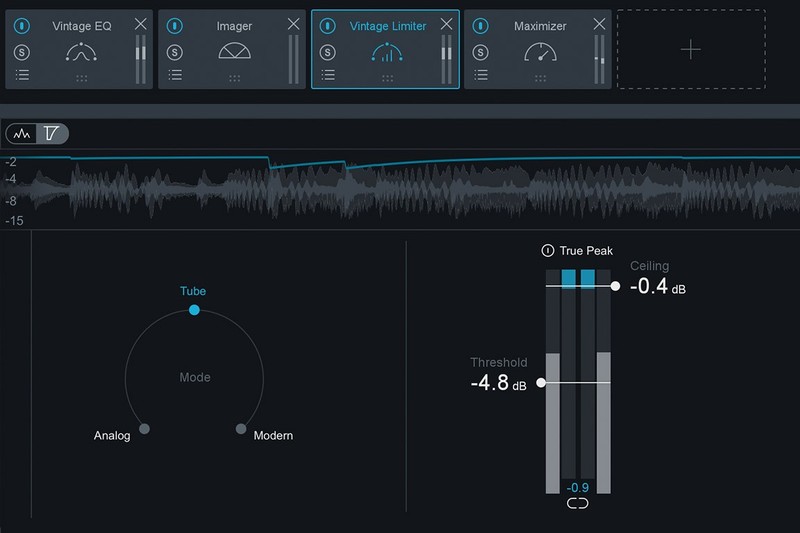
Glue a mix together and get loud, pumping tracks using Vintage Limiter
Vintage EQ
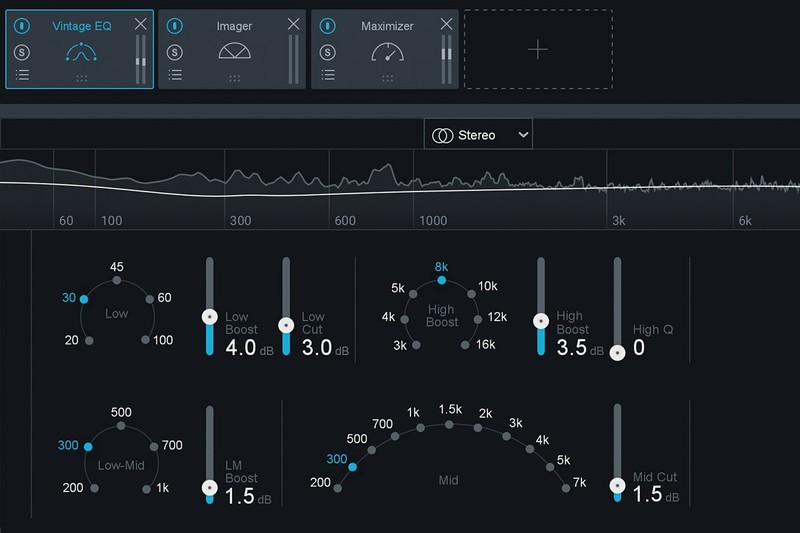
Brighten your master, smooth out heavy low end, and add body to your digital recordings.
Vintage Compressor

Add colourful dynamics with compression modelled after famous mastering hardware
System Requirements
Mac:
- OS X 10.11.6 (El Capitan) - macOS 10.14.4 (Mojave)
Windows:
- Windows 7 (64-bit) (Latest Service Packs) - Windows 10 (64-bit)
Plug-in Formats:
- AU
- AAX
- VST2
- VST3
- All formats are 64-bit only.


Reviews:
Purchase FAQ
Q1. What is the inspection period?
According to the Consumer Protection Act, online purchases come with a 7-day inspection period starting from the delivery date. Please note that the "inspection period is not a trial period." The purpose is for you to inspect and review the product, not to use it. If you are unsatisfied after inspection, please do not open or use the product and follow the return procedures immediately. Returned products must be in complete packaging with all accessories, gifts, and original packaging intact. Any missing, damaged, or incomplete items may affect your return rights and restoration costs may be deducted.
Q2. How do I process a return or exchange?
If you wish to return a product, please ensure it is in complete, new condition with the original packaging undamaged. This includes the product itself, accessories, warranty card, original packaging, and all accompanying documents. If the product is damaged due to reasons attributable to you, we may not be able to process the return, or repair costs may be deducted from the refund. However, products with manufacturing defects are exempt and qualify for unconditional return or exchange.
Please contact us by phone or email within the inspection period, providing the reason for the return/exchange, current product condition, phone number, and pickup address. We will arrange the return within 3-5 business days.
Q3. How will I receive my refund, and how long does it take?
Refund methods and timelines vary by payment method:
Credit Card: After we receive the returned product, the refund will be credited to your credit card account within approximately 5-7 business days. Depending on your billing cycle, the refund may appear on your current or next statement. Please confirm with your credit card issuing bank.
Bank Transfer: Please contact service [at] digilog.tw with your complete bank details (bank name, branch name, bank code, account holder name, account number). We will arrange courier pickup of the returned product and transfer the refund to your designated account within 5-7 business days.
Q4. Do I need to pay for shipping when sending products for repair?
Round-trip shipping costs for product repairs are the customer's responsibility.
You may be interested in:
DAW Software
MAGIX Samplitude Pro X8 DAW 數位音樂製作軟...
MAGIX Samplitude Pro X8 DAW 數位音樂製作軟...
Price
NT
12,800
Price
NT
12,800

DAW Software
Hit’n’Mix RipX DAW 8 音訊分離編輯軟體 (下載版)
Hit’n’Mix RipX DAW 8 音訊分離編輯軟體 (下載版)
Price
NT
3,200
Price
NT
3,200

Effects Plugin
Waves Sound Design Suite 聲音設計效果器 Pl...
Waves Sound Design Suite 聲音設計效果器 Pl...
Price
NT
9,000
Price
NT
9,000

-67%
音源軟體 Plugin
XILS Lab XILS V+ Vocoder 合成器音源 Plug...
XILS Lab XILS V+ Vocoder 合成器音源 Plug...
NT 5,990
Price
NT
1,990
NT 5,990
Price
NT
1,990


Effects Plugin
FabFilter Pro-C 3 壓縮器 效果器 Plugin (下載版)
FabFilter Pro-C 3 壓縮器 效果器 Plugin (下載版)
Price
NT
5,500
Price
NT
5,500
 What's New
 Brands
 Rental
目前尚無評論